
 Free · Android · iPhone · Web
FlySpark: FPV Configurator
A field workshop for Betaflight, INAV, ArduPilot and PX4 on Android, iPhone and the web. Connect over USB, Bluetooth or Wi-Fi, tune PIDs, flash firmware, read blackbox logs and plan missions. No laptop, no account, no ads.

- Free
- No ads
- No account
- USB OTG
- Bluetooth LE
- Wi-Fi
- 9 languages
- Demo mode
Lookbook
The same graphics as the live store listing
Eight posters from Google Play. Tap any one to open it full size.
- Connect
- Betaflight
- PID
- Flasher
- Missions
- ELRS
- Blackbox
- Forecast
Download
Get it on Google Play and the App Store
Free. No account. Android 1.0.2 on Google Play, iPhone and iPad on the App Store, or the web app in Chrome or Edge.
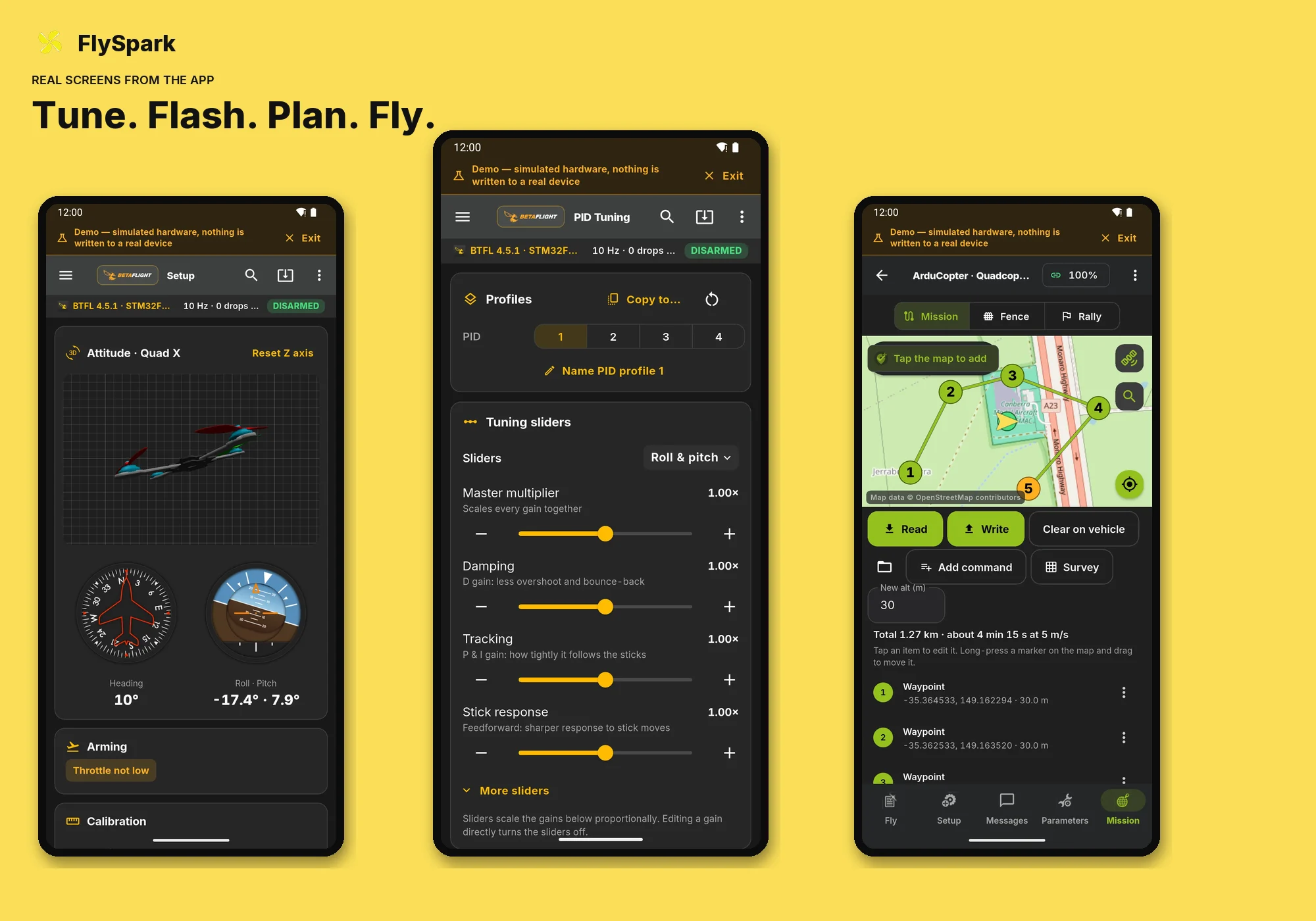
Inside the app
Tap the pins on a real setup screen
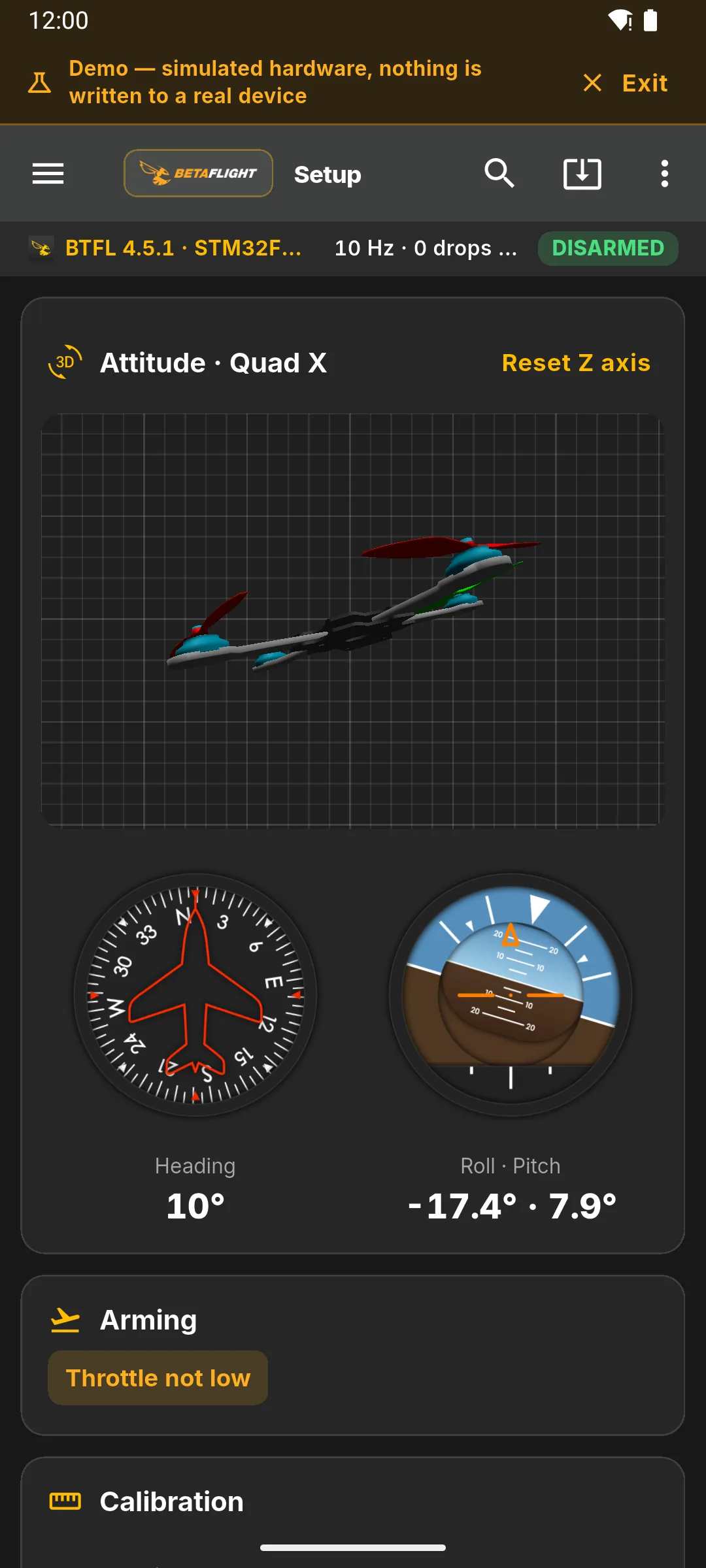
This is the Betaflight setup capture from the app — 3D model, compass, horizon and arming flags. Nothing here is a mockup.
Tap a pin
Live 3D model
The quad’s attitude as the flight controller reports it. Same 3D view as Betaflight Configurator on a laptop.
Try it
Open the web app. No install.
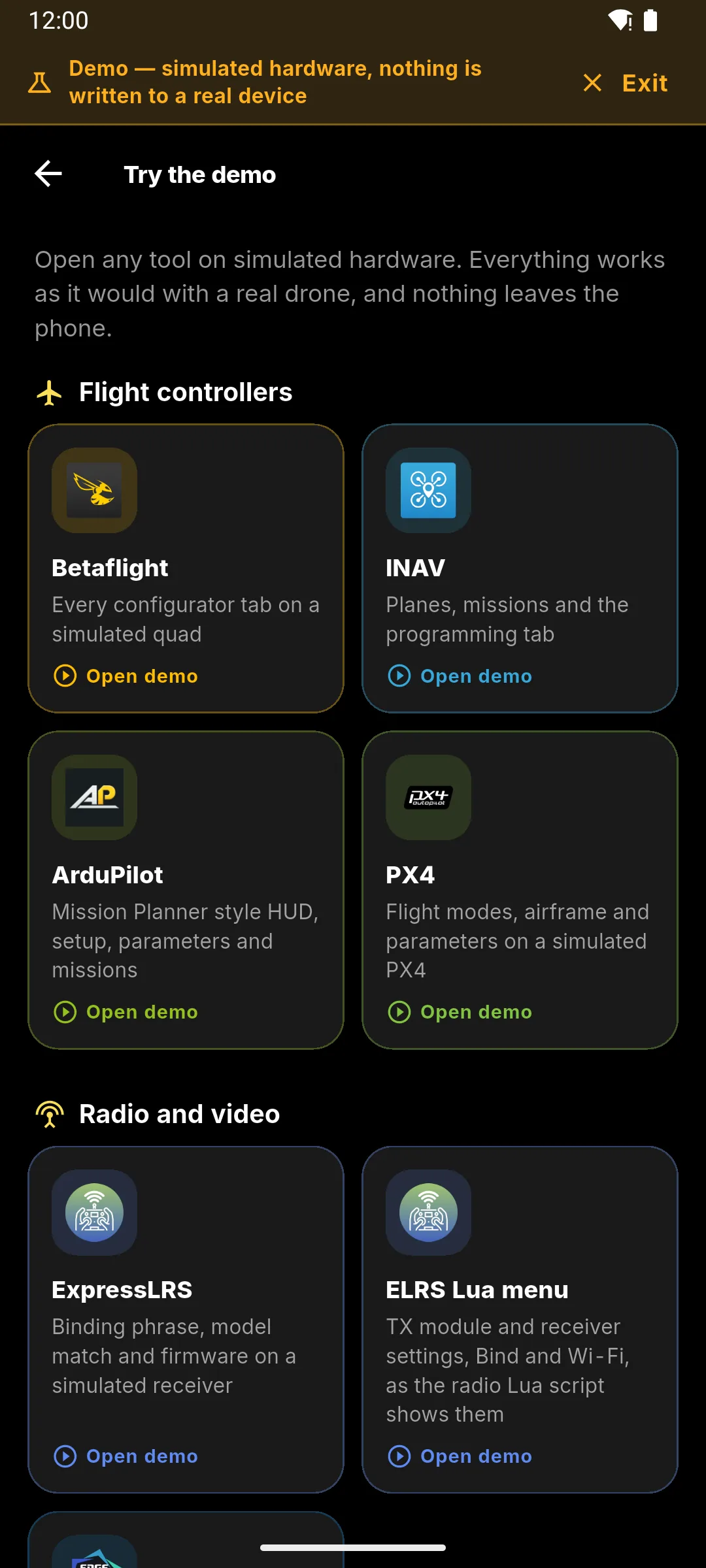
Chrome or Edge can talk to a board over USB or Bluetooth. Or tap Try the demo and use every tool on simulated hardware — nothing is written to a real flight controller.
Interactive tour
Tap a tool. See the real screen.
Each tab is a capture from the app. Open this tool launches that screen on app.flyspark.in.
Every configurator, flasher and log tool from one screen. Demo mode runs on simulated hardware.
Open this tool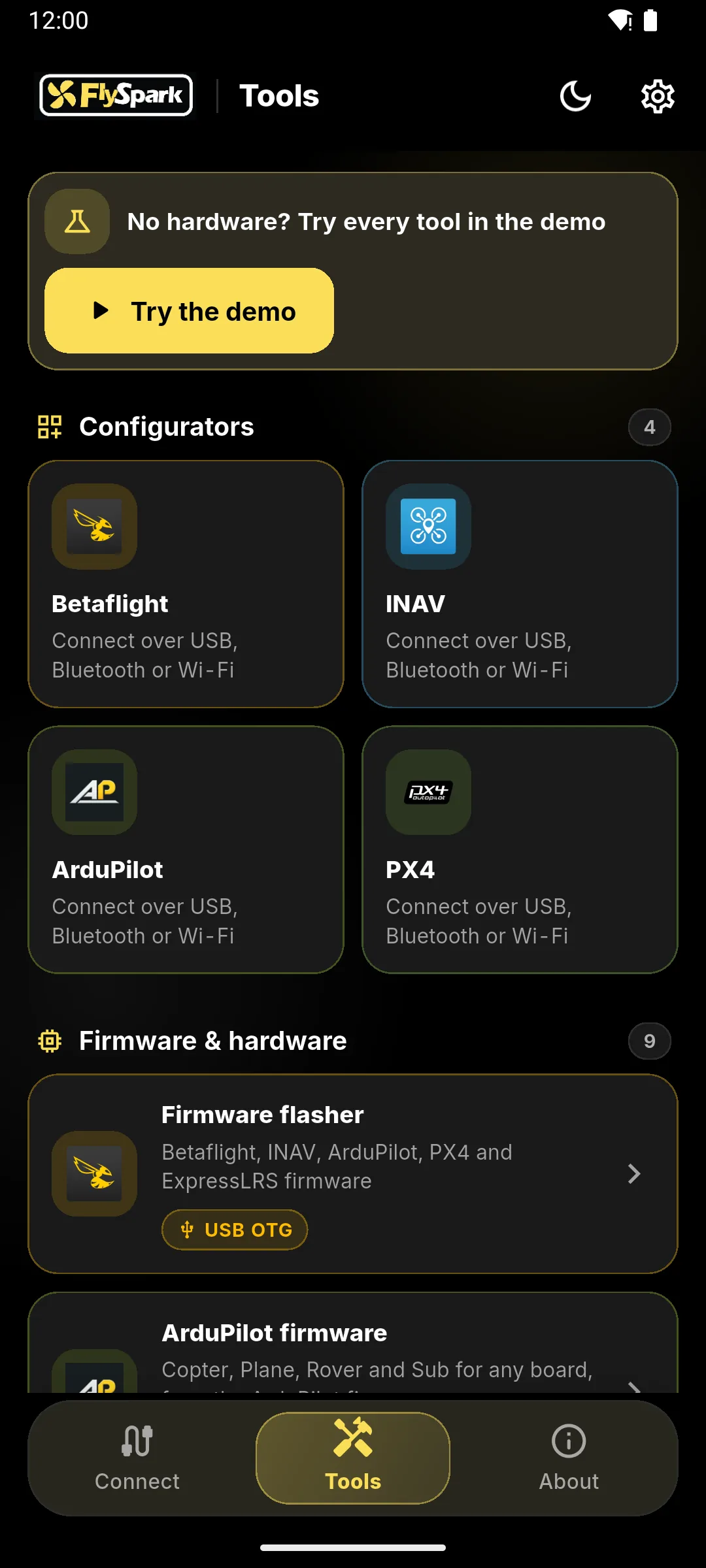
Tools
Betaflight, INAV, ArduPilot and PX4 tools
Betaflight and INAV
- Every tab: ports, power, failsafe, receiver, modes, motors, GPS, OSD, VTX, LED strip, blackbox, presets and CLI
- Live 3D model, accelerometer and compass calibration
- Motor order and spin-direction wizards
- INAV missions, geozones, safe homes and the programming tab
PID, rates and autotune
- Tuning sliders, PID gains, rates and filters with live rate curves
- Autotune suggestions from your own blackbox logs
- Named PID and rate profiles you can copy between slots
Firmware flasher
- Flash Betaflight, INAV, ArduPilot and PX4 over USB on Android and in Chrome or Edge
- Finds the board target and backs up settings first
- USB doctor explains cable, bootloader and permission problems
- iPhone cannot flash over USB
ArduPilot and PX4 ground station
- Mission planner with 62 commands, survey grids, fences and rally points
- HUD, flight modes, arming, parameters and messages
- Accelerometer, compass, radio and airframe calibration
- DroneCAN nodes, health and parameters
ExpressLRS and EdgeTX
- ELRS Lua menu over CRSF: packet rate, telemetry ratio, TX power, bind and Wi-Fi
- Binding phrase, model match and firmware updates over the module Wi-Fi
- EdgeTX companion: models, mixes, timers, Lua scripts and SD-card backups on Android and web
ESC configurator
- Read and change BLHeli_S, Bluejay and AM32 settings through the flight controller
- Set motor direction per ESC
- Download and flash ESC firmware on Android and the web app
Blackbox explorer
- Gyro, setpoint, PID and motor graphs on a zoomable timeline
- Noise spectrum and throttle heatmap
- GPS track map, CSV export and DVR video sync
- Open .BBL, .BFL or .TXT with no board connected
Preflight forecast
- Go / no-go from wind, gusts, rain, visibility and temperature
- Kp index and visible GPS satellites
- Nearby no-fly zones on a map. Location stays on the device
From the bench to the field
Five steps
01Connect
USB OTG on Android or Chrome, Bluetooth LE, or Wi-Fi to a serial bridge. iPhone is Bluetooth or Wi-Fi only.
02Configure
Ports, receiver, modes, motors, failsafe and OSD without a laptop on the bench.
03Tune
PID sliders, rates and autotune from a blackbox chirp you just flew.
04Flash
Firmware for the flight controller, ESCs and ExpressLRS. USB on Android and Chrome. Not over Bluetooth.
05Fly
Plan the next sortie, check the forecast, then read the log when you land.
Where it runs
Android, iPhone and web — what each can do
The tools match. The cables do not: iPhone has no USB path to a flight controller. A page on https cannot open a drone’s local Wi-Fi address, so Wi-Fi links need the phone app. Tap a platform.
Android
- Version 1.0.2, updated 24 October 2026. Category: Tools. Content rating: Everyone.
- USB OTG, Bluetooth LE and Wi-Fi (MSP over TCP or UDP, ExpressLRS hotspots).
- Firmware flashing, USB doctor, EdgeTX companion and ESC firmware need USB.
- Package in.flyspark.configurator.
| Capability | Web | Android | iPhone |
|---|---|---|---|
| Configure Betaflight / INAV | Yes | Yes | Yes |
| ArduPilot / PX4 missions | Yes | Yes | Yes |
| Bluetooth LE | Yes | Yes | Yes |
| Wi-Fi serial / ELRS hotspot | No | Yes | Yes |
| USB to the flight controller | Yes | Yes | No |
| Flash FC firmware | Yes | Yes | No |
| ESC firmware flash | Yes | Yes | No |
| EdgeTX SD-card tools | Yes | Yes | No |
| ELRS Lua over USB | Yes | Yes | No |
| Demo mode, no drone | Yes | Yes | Yes |
Tablet
The same layout on iPad
Phone and tablet layouts ship in the iOS app. These are real iPad captures.
iPhone
The iOS phone layout
Bluetooth and Wi-Fi only — no USB to the board.
A4 sheets
Full pages from the real screens
Tap any sheet to open it full size.
1.0.2 on Google Play
What changed in the current Android build
- Flashing is blocked over Bluetooth or Wi-Fi, with a notice that it needs USB.
- Map searches and coordinates are never included in diagnostics.
- Flight plan does not ask for location until you use it.
- Unused advertising permissions were removed.
FAQ
Before you download
Privacy
No account. Diagnostics stay off until you allow them.
Location is used on the device for maps and the preflight forecast. FlySpark does not receive it. Google Play lists no data shared with third parties. Details: FlySpark Configurator privacy policy.
Support: [email protected]. The app includes English, Hindi, Spanish, Portuguese, German, French, Russian, Chinese, Japanese. FlySpark is independent and is not affiliated with or endorsed by the Betaflight, INAV, ArduPilot, PX4, ExpressLRS or EdgeTX projects. Map data © OpenStreetMap contributors. Weather by Open-Meteo.com.
Take it to the field
Web app, Google Play, and the App Store — same configurator.